
Set the rules once.
The daily check does the rest.
Pro archives what has been off for too long, clears out what has sat in the archive for too long, and tells you before anything is deleted. Built for people who look after more than one site.
From switched off to cleaned up,
with a person in the loop.
Every period is yours to set, in days, weeks or months. These are the defaults.
Everything in the free plugin, plus:
Archive after a period you choose
Days, weeks or months inactive. Keep any plugin out with a tick. On a network it checks every site first.
Delete what has sat too long
Off until you turn it on and confirm you keep backups. Never touches folders it does not recognise as plugins.
Remove the data, not just the files
Runs the plugin's own uninstall routine before deleting it, so its settings and tables go too. Each row says whether one exists.
Know what happened overnight
What was archived, what was deleted, what is due, and what to do about data a plugin leaves behind.
Spot the plugins nobody maintains
Marks archived plugins closed on WordPress.org, or with no release there for two years.
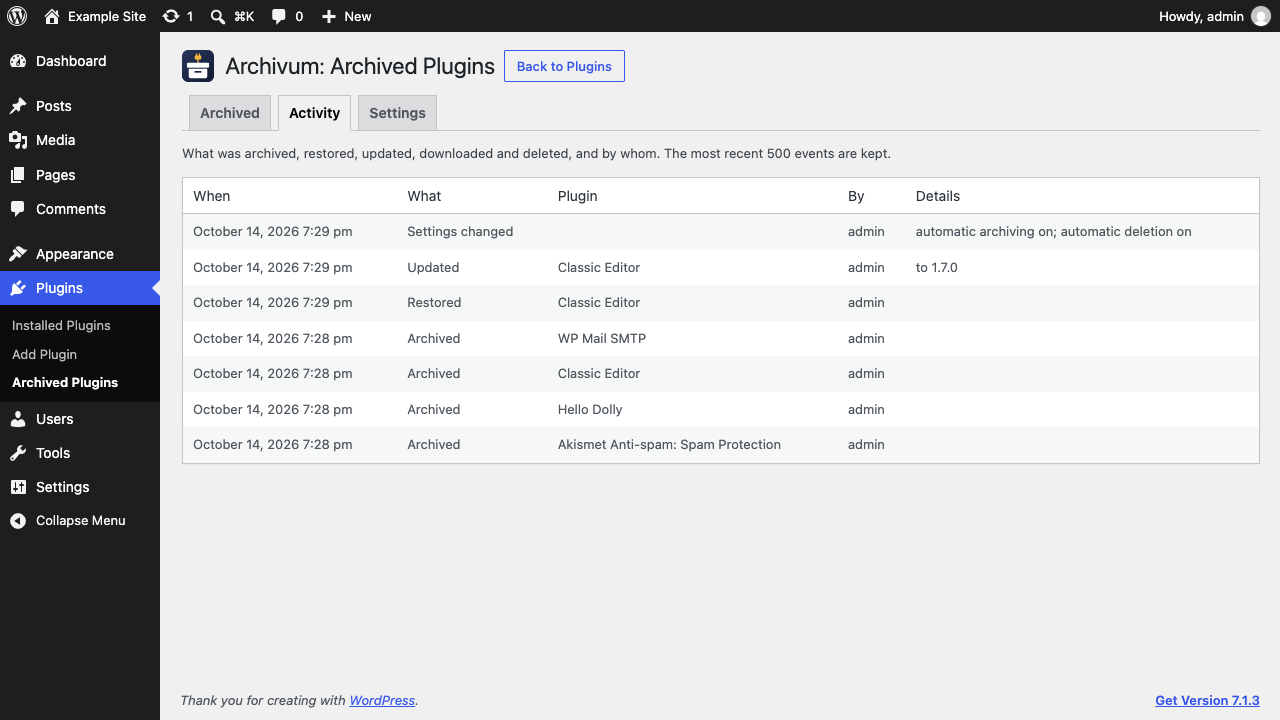
Who did what, and when
Every archive, restore, update, download and deletion, including the daily check and WP-CLI.
Script it across sites
List, archive, restore, delete and run the daily check from the command line.
Two more checks
Is the daily check running, and is anything about to be deleted, in Tools → Site Health.
Network-wide automation
One set of rules for the whole network, run from the main site.
For the people with
forty client sites.
The same safety rules apply from the command line. Deleting needs --yes, and every command goes through the checks the screens use.
Freelancers and agencies.
If you maintain sites for clients, inactive plugins are a chore you repeat on every one of them. Pro turns it into a rule you set once, with a report and a log to show for it.
- Fewer plugins to update and audit on every site
- A clear record when a client asks what happened
- Nothing deleted without notice reaching you first
- Scriptable with WP-CLI across your sites